Let’s talk about the period at the end of a text.
Your boss writes back: Sounds good.
Four words. One dot. And you’ve now read it three times trying to work out what you did wrong.
Friend, me too. Someone sends me Ok. and I’ll genuinely sit there wondering whether I’m about to be fired.
Nobody raised their voice. Nobody even wrote a full sentence. And yet a whole emotional message got sent, received and completely misread. By a dot.
That’s digital body language at work.
When you can’t lean in, hold eye contact or soften a word with a smile, the small stuff does all the talking.
How fast you reply, where you look on a video call, whether you add an emoji, and what your profile photo says about you before you type a single word.
The good news is that these cues are learnable, and hardly anyone thinks about them, so a little intention goes a long way.
What Is Digital Body Language?
Digital body language is the set of nonverbal cues you send in online spaces: emails, chats, video calls and profiles. It shows up in how quickly you respond, your word choice and punctuation, your camera presence and the pictures you choose to represent you.
Think of it as the online version of the signals you’d normally send with your face, hands and tone of voice. The difference? Online, those cues get compressed into text and pixels, so they’re easier to misread—and easier to sharpen once you know what to look for.
Want the full walkthrough? Watch our digital body language training here:
Your Everyday Digital Body Language
Most advice about digital presence jumps straight to profile pictures. But you send far more cues in the ordinary flow of work and life: every reply, every message, every meeting. This is where rapport is actually won or lost, so let’s start here.
Watch Your Reply Time
Response speed is one of the loudest cues you send online, and you’re sending it whether you mean to or not.
Reply within minutes to some people and hours to others, and they notice. A fast reply tells someone they matter to you. A three-day silence on a warm thread can cool a relationship, even when you’re just busy.
You don’t need to answer everything instantly. That’s a fast track to burnout. What helps is consistency and a quick holding message when you can’t respond fully yet.
Try this: When you can’t give a real answer right away, send a one-line placeholder: “Got this, will reply properly tonight.” It takes five seconds and stops the other person from filling the silence with worst-case stories.
Mind the Period (and the Tone It Sets)
Remember that panicked new hire? There’s research behind their reaction.
In a 2016 study1, people rated one-word replies ending in a period as less sincere than the same replies without one.
Yeah. Sure. Okay.
In casual messaging that little dot sounds clipped, or annoyed, even when you feel neither.
The flip side matters too. Piling on exclamation points to seem friendly (“Thanks!!! So excited!!!”) can tip into forced enthusiasm and make you seem less genuine.
So match your punctuation to the channel. A crisp period is perfectly fine in a formal email. In a quick Slack or text with someone you like? Loosen up. A lowercase “sounds good” or a single “!” often carries warmth that a buttoned-up sentence can’t.
Pro Tip Before you send anything with an edge to it, read it out loud in the flattest voice you can manage. If it sounds cold that way, add a softener (a name, a thank-you or one friendly emoji) because that flat voice is exactly how a stressed reader will hear it.
Show Up on Video Like You Mean It
Video calls are digital body language on full display, and they’re exhausting for reasons you can actually fix.
A 2021 Stanford analysis2 pinned down why video calls drain people.
Every face fills your screen at unnaturally close range. You’re stuck staring at a live mirror of yourself. And you sit frozen in one small box for hours.
All of that tanks your presence and your patience.
A few small moves change how you come across:
- Frame yourself at eye level. Put your camera at eye height and sit far enough back that people see your head and shoulders rather than a close-up of your forehead. It feels more like a normal conversation.
- Look at the lens. To seem like you’re making eye contact, glance at the camera when you speak instead of at the thumbnails. It feels odd at first and looks like genuine attention to everyone else.
- Hide your own video. Once you’ve checked your framing, hide your self-view. You’ll stop performing for the mirror and start actually listening.
- Nod and react. On video, your small reactions get lost. Nod a little more, smile a beat longer and let your face do the work your voice would normally share.
Action Step: On your next call, hide your self-view in the first minute. See how much more present you feel by the end.
Use Emojis as Punctuation, Sparingly
Emojis are the closest thing you’ve got to facial expression online, and used well, they do real work. A thumbs-up closes a loop. A single 🙂 softens a blunt request. A 🎉 makes someone’s win feel seen.
Used badly, they add noise or confusion, especially across generations and cultures, where the same emoji can mean very different things.
The rule of thumb: one purposeful emoji beats five decorative ones. Lean warmer in casual chats, lighter in formal ones and mirror the other person’s style. If your client never uses emojis, that’s a cue worth matching.
Want to go deeper on this? Here’s our full guide: What Emoji Best Represents You? A Guide to Emoji Meanings
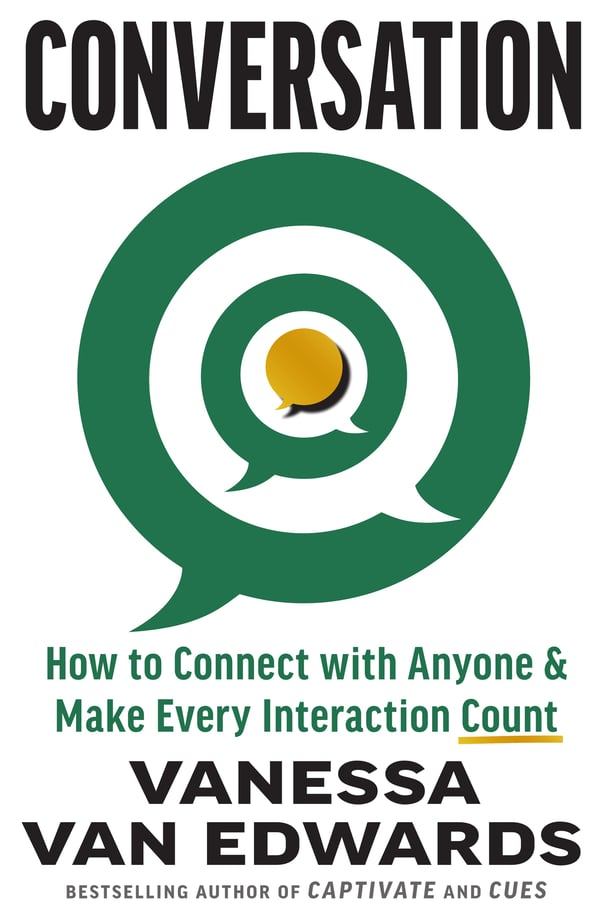
A new book by Vanessa Van Edwards
Every conversation is an opportunity.
If conversations have gotten harder, more awkward or less satisfying, you’re not imagining it. We’re simply out of practice. It’s time to find the joy in talking to each other again.
Your Profile Is Digital Body Language
Before you type a single word, your profile photo has already spoken. On LinkedIn, dating apps and team directories, that image shapes how competent, warm and trustworthy you seem. Here’s how to make it work for you.
Let Someone Else Pick Your Photo
We tend to trust our own eye when choosing a profile picture. That instinct might be steering you wrong.
Two online studies3 with 610 participants found that profile pictures selected by other people made better first impressions than the ones people picked of themselves. We’re oddly bad judges of which of our own photos land best.
Action Step: Pick three or four photos you’d consider using, then send them to a couple of friends and ask which one looks most like the real you. Odds are their favorite beats your gut pick.
Do the Squinch and Smile
The platform PhotoFeeler has collected votes from tens of thousands of people rating profile photos on competence, likability and influence. A few patterns stand out4
- Skip the sunglasses. Blocking your eyes drags your likability down. People want to see them.
- Squinch, don’t squint. Slightly narrowing your lower eyelids (a “squinch”) looks confident and comfortable rather than wide-eyed.
- Smile like you mean it. A genuine smile gives likability its single biggest boost. An open-mouth smile pushes it higher still, as long as it looks real.
You can upload your own photo there and have strangers rate it before you commit.
Show a Little of Your World
If you want to seem warmer and more trustworthy to colleagues, don’t hide your environment.
One study5 found that scientists who shared photos of themselves in their labs or out in the field came across as significantly warmer and more trustworthy than those with formal headshots.
And it cost them nothing in perceived competence.
A glimpse of where you work makes you a real person to whoever’s looking.
Dress a Notch Up
What you wear in a photo shifts how capable you seem. In the PhotoFeeler data, more formal attire raised perceived competence and influence. You don’t need a tuxedo. Just aim one step dressier than your everyday, and let the setting match the impression you want.
Nail the Framing
Composition shapes how a photo lands. A head-and-shoulders or head-to-waist shot tends to work best; face-only close-ups can feel intense, and full-body shots shrink your face too small to connect.
One classic trick: instead of centering your face dead-on, position your eyes along the upper third of the frame. A touch of asymmetry makes a photo more inviting than a flat, front-on headshot.
Run the Glance Test
Here’s a fast way to audit any profile: glance at it for two seconds, then name the first three words that come to mind. Are they the words you want people thinking?

If your desired brand is “expert, approachable, sharp” but the photo whispers “tired, generic, unsure,” you’ve found your homework. Do the same for your bio and your banner image. Each element is either building the impression you want or working against it.
Try this: Ask a friend to run the glance test on your LinkedIn profile without any context. The three words they blurt out are your real first impression.
A quick word on color, too. The colors in your banner and background nudge the mood people feel before they read anything. Warm tones tend to feel inviting, while cool tones feel calm and professional. Be purposeful with what you choose:
Curious how far this goes? Read Color Psychology: How Color Affects Your Emotions And Why
Design a Likable Avatar
Some teams use cartoon avatars for fun or privacy.
Research from a Canadian university6 found certain features look friendlier. Wider eyes, a warm smile, softer styling.
Neutral expressions and heavy accessories go the other way and can seem closed-off. So if you’re building one, aim warm.
Dating Profiles: Small Signals, Big Difference
Dating apps are digital body language on hard mode—you get seconds to make an impression. A study7 found that originality and authenticity in a profile can boost how attractive, smart and funny people rate you, while tired clichés drag those ratings down. Stand out by being specific.
Your Photo Speaks First
In online dating, your picture carries most of the first impression.
OKCupid once ran an experiment8 where it hid every profile photo for a day.
Conversations got deeper. People responded more often. Contacts got exchanged faster.
Then the photos came back, and the shallow habits came back with them.
A good photo doesn’t win anything on its own. It earns you the chance to be seen for more than your face.
Write a Bio and Skip the Clichés
A blank bio leaves people guessing, and most fill the gap with a shrug. A specific, genuine line or two gives them something to connect to.
Just avoid the words everyone else uses. An analysis9 of 5,000 profiles found the same tired terms over and over. Trade “I love adventures” for the specific adventure you actually took last month.

Need better words to start with? We’ve got you: 307 Resume Action Verbs Guaranteed to Impress
To Look or Look Away?
Should you meet the camera or gaze off? OkCupid’s analysis10 of thousands of photos found that women tended to attract more interest looking directly at the lens, while men often did better looking away. Direct eye contact makes you look engaging and trustworthy, while a glance away can suggest easygoing confidence.
Aim for Confident Over Grinning
Here’s a surprising one, guys. Studies11 suggest that a big happy grin ranks among the less attractive expressions for men in women’s eyes. A look of pride or quiet confidence tends to spark more curiosity.
That said, if you’re happy, show it. A real emotion beats a posed one every time.
Put Down the Drink
One more: skip the photo holding a cocktail. Research12 has found that people holding alcoholic drinks are often rated as less intelligent, even with no other sign of impairment. And drink responsibly, always.
Digital Body Language FAQs
Why is digital body language important?
Online you lose almost every cue you’d normally lean on: tone of voice, eye contact, a reassuring smile.
Digital body language fills that gap.
It’s how you build trust without a handshake, send warmth without being in the room and defuse a tense thread before it detonates.
Get good at it and the relationships get stronger across every screen you touch.
How can you improve your digital body language?
Start by getting conscious of the messages you’re already sending. Match your tone and punctuation to the person and the platform, watch your reply times and treat video calls like the real conversations they are. Small, consistent adjustments add up fast.
What are common digital body language mistakes?
The big ones: firing off blunt one-word replies that come across as cold, drowning messages in emojis or abbreviations, going silent for days without a heads-up and showing up to video calls distracted or badly framed. Most are easy to fix once you notice them.
How does digital body language differ from in-person communication?
In person, your body and voice carry the nuance automatically. Online, that nuance has to be built on purpose through written and visual cues, which makes clarity and warmth something you choose deliberately every time you hit send.
Go Forth and (Digitally) Connect
You send digital body language every hour whether you think about it or not. The only question is whether it’s working for you.
Start with one thing this week. Hide your self-view on calls, soften a curt reply or swap in a photo a friend picked. Small shifts, real difference.
And if you want to sharpen the profile that anchors it all, don’t miss this next: The 15 Best LinkedIn Profile Tips To Make Your Profile Pop
References
- Texting insincerely: The role of the period in text messaging, Computers in Human Behavior (2016)
- Four causes for 'Zoom fatigue' and their solutions, Stanford Report
- Cognitive Research: Principles and Implications (2017)
- PhotoFeeler: How to Take the Perfect Profile Picture
- PLOS ONE (2019)
- Personality and Social Psychology Bulletin (2015)
- PLOS ONE (2022)
- OkCupid: We Experiment on Human Beings
- Displayr: Crafting Your Tinder Bio (archived)
- OkCupid: The 4 Big Myths of Profile Pictures
- Emotion (2011): Happy guys finish last
- SSRN working paper